Database Branching for Microsoft SQL Server
 Sergey Pronin, founder of Solanica and maintainer of OpenEverest (CNCF Sandbox)
A lot of the software that keeps companies running sits on Microsoft SQL Server: ERPs, billing, banking, line-of-business .NET applications, and twenty years of stored procedures that nobody wants to touch. That’s exactly where AI agents could help the most. Rewrite this procedure. Find out why this report takes four minutes. Rehearse the upgrade. Add the index and check what it locks.
It’s also where agents are the most dangerous. You don’t let an agent loose on the production ERP, and the database it needs to work on is that one, with that data.
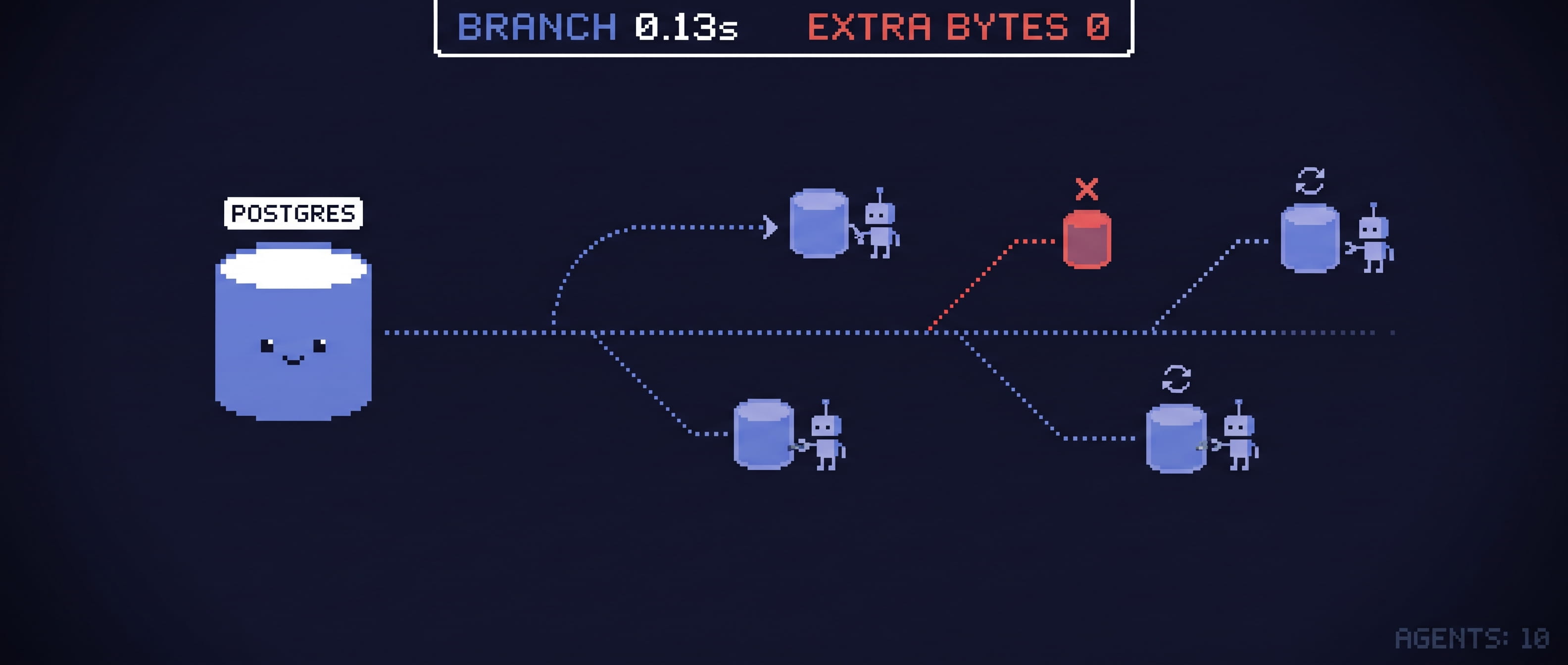
Earlier this week we showed database branches for PostgreSQL: a writable copy of a 10 GB database in a tenth of a second. This post is about the same thing for SQL Server, which turned out to be a different story.
How SQL Server teams get a copy today
Ask a SQL Server team how a developer gets a copy of production and you’ll usually hear one of these:
- Restore last night’s backup. Every byte is copied, so the time and the disk grow with the database: minutes for a few gigabytes, hours for a large one. Each copy is the full size, and often a ticket to the DBA team.
- One shared dev server. Restored once a month, used by everyone, and broken by someone every week.
- A database snapshot (
CREATE DATABASE … AS SNAPSHOT OF). It’s instant, but it’s read-only, it lives on the production server, and reverting to it breaks the log backup chain. It’s for looking at data, not for working on it.
None of these works for an agent. An agent works in loops: it tries something, checks, throws it away and tries again. It needs a copy in seconds, a lot of them, and a way to undo. A copy that takes an hour and costs a full-size disk each time makes the database the bottleneck of every agent you run.
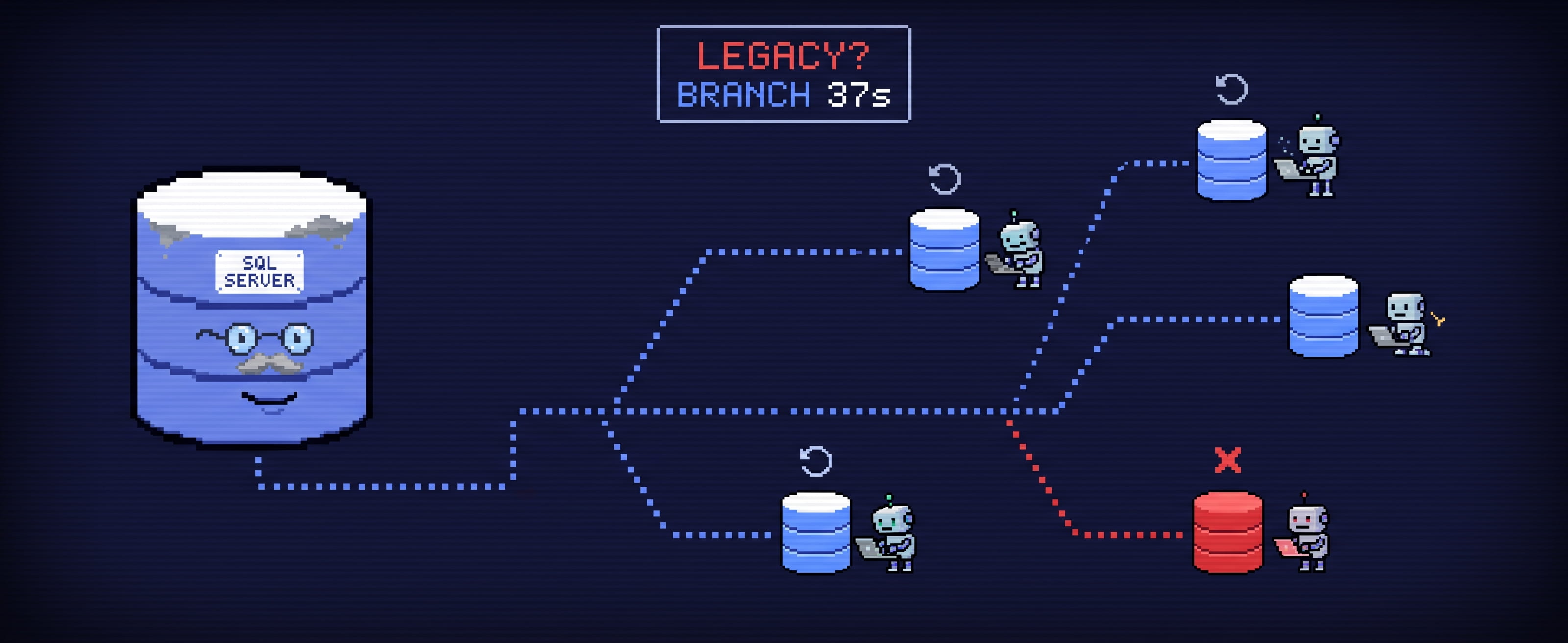
SQL Server has no built-in writable branch. There’s no Neon for it. So we built branching under it.
What we built
plugin-branching is an OpenEverest plugin that adds a Branches tab to an instance’s page. It already branched PostgreSQL and MariaDB. It now branches SQL Server instances run by our MSSQL provider, both standalone instances and Always On Availability Groups.
A SQL Server branch is an instance branch: a new SQL Server instance of its own, whose disk starts as a copy-on-write snapshot of the source’s. It shares every block with the source until either side writes, so the snapshot takes the same few seconds and almost no disk whether the database is 5 GB or 500 GB. It has every database, login, procedure and job of the source, its own CPU and memory, and its own endpoint.
Like everything in the plugin, a branch is a Kubernetes resource, so an agent, a CI job or GitOps can ask for one:
apiVersion: plugin-branching.plugins.openeverest.io/v1alpha1
kind: Branch
metadata:
  name: erp-agent-19
  namespace: finance
spec:
  instanceRef:
    name: erp                  # the SQL Server instance to branch
  method: Snapshot
  instanceName: erp-agent-19   # the branch, a SQL Server of its own
Every branch comes with the rest of the loop:
- Reset: the branch gets a fresh copy of production, as of now.
- Restore point: a save point before a risky change.
- Rollback: go back to a restore point.
The branch shows up in OpenEverest like any other instance, with its own connection details. Requests from the UI or the API are checked against OpenEverest’s RBAC as the user who made them.
The numbers
We measured on a Kubernetes cluster with ZFS on local disks (OpenEBS ZFS LocalPV), SQL Server 2025, with clients writing to the source the whole time:
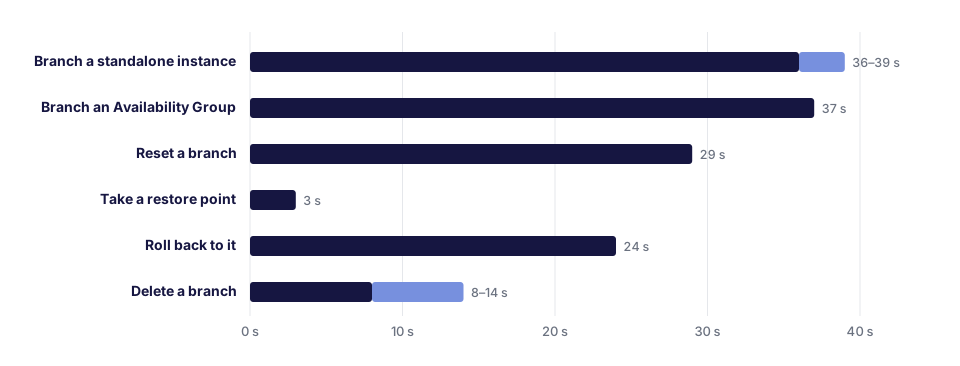
| Took | |
|---|---|
| Branch a standalone instance | 36–39 s |
| Branch an Availability Group | 37 s, with no disconnections in the source’s group |
| Reset a branch | 29 s |
| Take a restore point | 3 s |
| Roll back to it | 24 s |
| Delete a branch | 8–14 s |
Most of a branch’s time is SQL Server starting up and recovering, not copying data. A 4.5 GB database with 10 million rows, under about 1,160 transactions per second, gave a branch in 65 seconds. Most of that was SQL Server replaying the 34,000 transactions that were in flight when the snapshot was taken. The branch used 77 MB of its own disk.
The branch is consistent, with nothing frozen: it held every transaction committed before the snapshot, and none half done. SQL Server writes every commit to its log before it acknowledges it, so starting on a snapshot is like starting after a power cut: committed work is redone and the rest rolled back. Branches of an Availability Group had the same rows and checksums as the source.
A copy that thinks it’s production
Here’s the part that’s different from PostgreSQL. A SQL Server copy isn’t
only data. The master database carries the server’s identity, and a copy
of it still believes it’s the production server.
We found out the hard way. We started a copy of an Availability Group secondary as is. It came up, found its Availability Group, and rejoined it as the replica it had been copied from. On the real production primary, the session to the real secondary started dropping every 10 to 20 seconds. One test copy was enough to disrupt production.
The group isn’t the only thing that travels with the data:
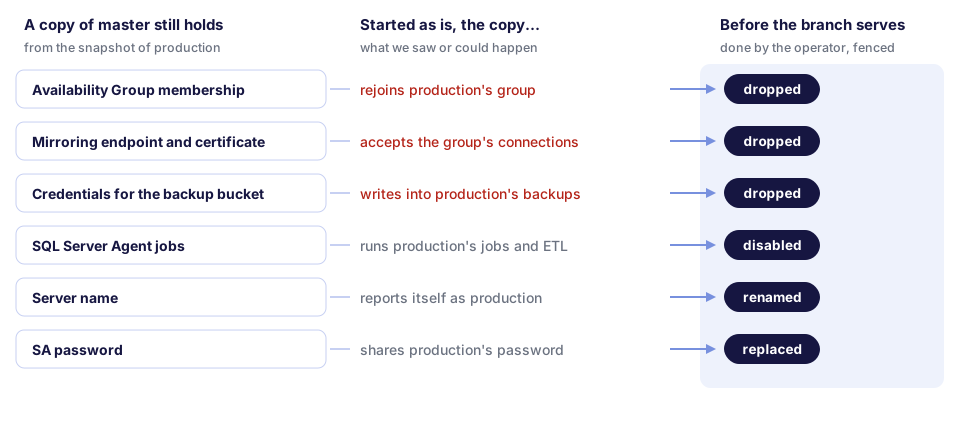
A copy that keeps the backup credentials can write into production’s backup bucket. One that keeps the Agent jobs runs production’s ETL and sends production’s emails, from a test environment, on schedule.
So a branch never starts as is. Our MSSQL operator starts every copy fenced: no network except to the operator, no DNS, SQL Server Agent off. While it’s fenced, the operator drops the copy’s Availability Groups, endpoints, certificates and backup credentials, disables its jobs, renames the server, and gives it an SA password of its own. Only then does it restart the branch with its network and mark it ready. The production group is never contacted, and the branch’s connection details never carry production’s SA password.
It does this again on every reset and rollback, since those put another copy of production under the branch.
Branching an Availability Group without touching it
Production SQL Server usually means an Always On Availability Group, and it’s the server you least want to slow down. The plugin doesn’t snapshot the primary. It waits for a synchronized secondary to have every transaction the primary had when the branch was requested, and snapshots that secondary. No freeze and no backup: the primary is only asked for its log position.
In our tests the branch of a group under write load was ready in 37 seconds, and the group’s clients saw no disconnections.
Developer edition branches
A branch runs SQL Server Developer edition, whatever the source runs. Developer edition has every feature of Enterprise and is free for development and testing. Your production can be Enterprise or Standard, and the copies your agents, CI and developers work on don’t need licenses of their own. As always with SQL Server licensing, check what your agreement says about non-production copies of production data.
Where it fits
- Modernizing T-SQL. An agent rewrites a stored procedure, a trigger or a view, and runs both versions against real data to check they return the same results. Run several agents on several branches and keep the best rewrite.
- Query tuning. Each agent tries different indexes or query hints on its own branch, with its own CPU, and benchmarks them on production-sized data without slowing anyone down.
- Migration rehearsals. Run the schema change, the EF Core migration or the data fix on a branch first. See how long it takes, what it locks and how big the log grows, then reset and run it again.
- Upgrade rehearsals. Try the new version of the ERP or the application on a copy of the real database before the maintenance window, not during it.
- Testing jobs and ETL. Branches disable copied Agent jobs by default. When the jobs are what you’re testing, a branch can keep them and run them against copied data, safely away from production.
- CI and preview environments. Each pull request gets a SQL Server with real data and its own endpoint, deleted when the PR closes. No fixtures, no shared dev server.
- Incident debugging. Branch production as of now and dig in, without touching it.
The loop an agent runs costs seconds: a restore point before a risky step (3 s), a rollback when it goes wrong (24 s), a reset to start over from production as of now (29 s).
What to know
- Each branch is a SQL Server. It needs its own memory, at least 2 GB, so a branch costs more than a PostgreSQL database branch. Copy-on-write makes it cheap on disk, not on RAM. Give branches a lifetime.
- Seconds, not milliseconds. A branch is ready in under a minute, mostly SQL Server starting and recovering. That’s fast for SQL Server copies, but it’s not the 0.1 s of a PostgreSQL database branch.
- No promote yet. A branch’s data was cleaned up as a copy, with another server name, disabled jobs and no backup credentials, and production must not inherit that. When an agent gets it right, ship its script through your usual deployment. For most SQL Server shops that’s the right way anyway.
- Restore points and rollback are for standalone instances. Branches of Availability Groups can be reset, but restore points of a whole group aren’t supported yet.
- The storage matters. You need Kubernetes storage with copy-on-write snapshots and clones through the CSI snapshot API, such as ZFS LocalPV, Portworx, Ceph RBD or NetApp ONTAP. Data and log files must be on one volume.
- Branches hold production data. Logins other than SA are the source’s, and so is the data. Mask personal data on the source you branch from, or branch a masked copy.
What’s next
Instance branches give each agent its own SQL Server. For hundreds of short-lived agent tasks, a branch inside the same server would be cheaper: a new database, not a new server. In our experiments, SQL Server can do it on a file system with reflinks: freeze the database for under half a second, clone its files, attach the clone as a new database. We’re working on it, along with restore points for Availability Groups.
Try it
SQL Server branches need provider-mssql v0.1.17 or later, which bundles our MSSQL operator, and storage with copy-on-write snapshots. The plugin-branching docs explain how SQL Server branches work, and Databases for AI Agents sums up what the plugin does for agents, CI and preview environments.
The plugin is not open source. We’re looking for SQL Server teams to try it on their own clusters and tell us what their agents, CI and developers need. If that’s you, let us know.