
CNCF

Talk · Cloud Native Gandhinagar

Abstracting the Abyss:
How to Run Production Data
Workloads on Any Kubernetes Cluster

Sergey Pronin Solanica

Agenda

What We'll Cover Today

  • 01 3 doors for running data — trade-offs & traps
  • 02 Kubernetes as the universal data platform
  • 03 Running production databases on Kubernetes
  • 04 OpenEverest — what it is, and where it's going

Three Paths

3 Doors for Running Data in Your Org

Door 1

Managed Services

RDS, MongoDB Atlas, Cloud SQL…

  • Fast to get started
  • Vendor handles operations
  • Expensive at scale
  • Locked into one cloud
Door 2

Legacy & DIY

Custom scripts, VMs, bare metal…

  • Full control over setup
  • Requires a dedicated DBA team
  • Manual, error-prone processes
  • Hard to scale consistently
Door 3

Cloud Native

Kubernetes Operators, GitOps…

  • Runs on any infrastructure
  • Operations as code
  • No vendor lock-in
  • Day-2 ops automated

Door 1 · Managed Services

The Golden
Cage

Managed databases feel easy — until you start scaling. Then the hidden costs and constraints start to show.

RDS, MongoDB Atlas, Cloud SQL, PlanetScale, Neon…

Vendor Lock-in

Your data, their APIs, their region list, their outage schedule. Migrating out is painful and expensive.

Unpredictable Costs

Bills that grow non-linearly with traffic. Egress fees. Storage markups. Per-connection pricing surprises.

Limited Control

Can't tune storage drivers, OS configs, or networking. You get what they expose — nothing more.

Data Sovereignty

Regulated industries can't always let a third party hold the data. Compliance becomes your problem.

Door 2 · Legacy & DIY

The Hidden Tax of
Doing It Yourself

Full control sounds great — until your database expert leaves and no one knows how the provisioning script works.

Ticket-driven Provisioning

Developers open a ticket. A DBA creates the database. Days pass. Everyone is frustrated.

Zombie Scripts

Bash scripts and Ansible playbooks written years ago. Nobody wants to touch them. They "just work" — until they don't.

Knowledge Silos

One person knows the replication setup. Another knows the backup cron. Nobody knows both.

Doesn't Scale

10 databases: manageable. 100 databases: chaos. The linear growth of effort kills the team.

Incident-driven Ops

No automated failover. Failover is a 2 AM phone call, a runbook, and adrenaline.

Upgrade Paralysis

Upgrading PostgreSQL 13 → 16? That's a project, not a task. So it gets deferred indefinitely.

Door 3 · Cloud Native

Enter Kubernetes —
The Unifier

One API. Any infrastructure. Kubernetes became the platform for building platforms — and it runs everywhere.

Infrastructure agnostic — AWS, GCP, Azure, bare metal, your laptop
Declarative by nature — describe desired state, let the system converge
Extensible — CRDs and operators let you teach K8s any domain
Platform for platforms — DBaaS, ML pipelines, dev portals — all on K8s
P Public Cloud
O On-Premises
Kubernetes
one control plane
H Hybrid
E Edge

The Myth vs. Reality

"Kubernetes is for stateless apps. Don't run databases there."

Kubernetes has grown up.
Data workloads belong.

2014

Kubernetes 1.0 — Stateless first

Deployments and ReplicaSets designed for ephemeral, interchangeable pods. Storage was an afterthought.

2016

StatefulSets & PersistentVolumes

Stable network identities, ordered deployment, and persistent storage. The first real foundation for data.

2018

Storage Classes & CSI Drivers

Dynamic provisioning, volume snapshots, local NVMe support. Cloud-grade storage on any backend.

2019+

Operators — domain knowledge as code

PostgreSQL, MySQL, MongoDB, Redis — all managed by operators that encode DBA expertise into the control loop. This is where it gets interesting.

Cloud Native Databases

Kubernetes Operators: The Game Changer

CUSTOM RESOURCE kind: PostgresCluster replicas: 3 storage: 50Gi backup: daily haMode: sync version: "16.2" watches OPERATOR CONTROLLER ① Watch API Server ② Compare ③ Reconcile continuous reconciliation loop creates & manages StatefulSet 3 pods · ordered PersistentVolumeClaims × 3 replicas Services primary · replica · headless Secrets + ConfigMaps creds · tuning CronJob scheduled backups DAY-2 OPERATIONS — ENCODED BY THE OPERATOR, RUN BY KUBERNETES Auto Failover Backups & PITR Scale Replicas Rolling Upgrades Metrics & Alerts The operator is a DBA encoded in software — it knows your database, not just Kubernetes.

CNCF Ecosystem

Operators Are Just the Entry Point

Running on Kubernetes means your database plugs into an entire ecosystem of battle-tested open source tooling — all cloud native, all composable.
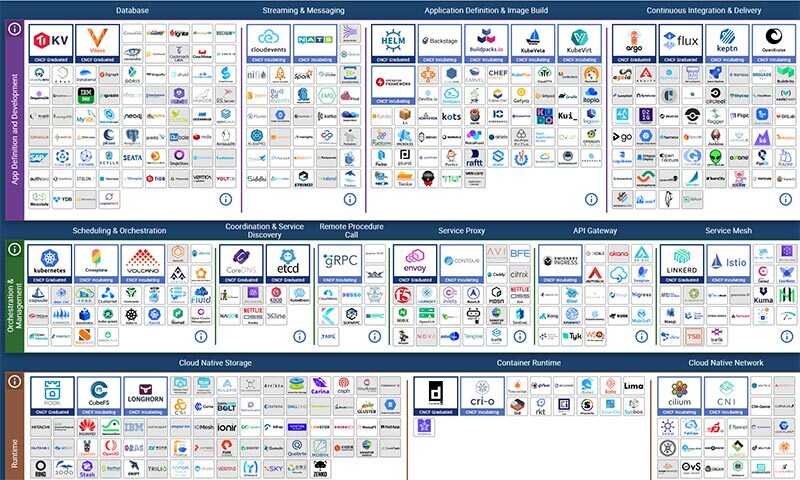
CNCF Landscape — hundreds of cloud native open source projects
1,100+
open source projects & products
Explore the landscape ↗
Observability
Prometheus Grafana OpenTelemetry
Security
cert-manager Falco Vault
Networking
Cilium Istio Envoy
GitOps
Argo CD Flux Helm
Backup & DR
Velero Restic pgBackRest

Part III

Production Databases
on Kubernetes

Four pillars that separate a database cluster that survives from one that doesn't.

Topology & HA Compute & QoS Storage Backups & PITR

Production Databases · Pillar 1

Topology & High Availability

No affinity rules — scheduler decides placement
podAntiAffinity: requiredDuringSchedulingIgnoredDuringExecution
topologySpreadConstraints — topology.kubernetes.io/zone
Connection proxy layer — same affinity rules apply
Zone — A
k8s-node-1
DB Pod · Primary + 2 here
Connection Proxy
SPOF
Zone — B
k8s-node-2
DB Pod · Replica 1
Connection Proxy
Zone — C
k8s-node-3
DB Pod · Replica 2
Connection Proxy
Three Kubernetes nodes. A database cluster: 1 primary, 2 replicas. Where do the pods land?
Without placement rules the scheduler co-locates everything on a single node. One node goes down — full outage. Fine for dev, fatal for production.
podAntiAffinity: required — pods are forbidden from sharing a physical node. Lose one node, your quorum survives.
topologySpreadConstraints — pods spread across availability zones. A full zone outage cannot take your quorum.
The connection proxy layer follows the same rules — one per node, one per zone. Routing stays alive under any individual node failure.

Production Databases · Pillar 2

Compute: Guaranteed QoS

Misusing requests and limits is the most common way databases die on Kubernetes — killed by the Linux OOM killer at 3 AM.

⚠ Burstable — OOM kill target
resources:  requests:    memory: 2Gi    cpu:    500m  limits:    memory: 8Gi   # limit > request    cpu:    4000m
✓ Guaranteed — kernel protected
resources:  requests:    memory: 8Gi    cpu:    4000m  limits:    memory: 8Gi   # = requests    cpu:    4000m # = requests
Requests = Limits. Always.
No burst headroom — no OOM exposure. The Linux kernel treats this pod as the highest-priority process on the node.
Add 20% overhead
Set memory 20% above the engine's cache (e.g., shared_buffers). Covers sidecars, OS page cache, and vacuum workers.
OOM kill order
BestEffort killed first, then Burstable, then Guaranteed. Your database should never appear in that list.

Production Databases · Pillar 3

Storage: Three Tiers

Storage is where 80% of Kubernetes database issues live. Navigate it with a clear tiering strategy.

Tier 1 · Foundation
S3 Object Storage
eleven 9s durability · off-cluster
WAL archive — continuous stream to S3
PITR — restore to any second in retention
3-2-1 rule — data survives cluster loss
MinIO, AWS S3, GCS, Azure Blob
Not for live data — backup & DR only
Tier 2 · Standard
EBS / Ceph / PD
10–100k IOPS · ~1–10ms latency
Decoupled from compute — PVC survives pod restarts
Pod migration — immediate re-attach on reschedule
Snapshots — block-level point-in-time
AWS EBS, GCP PD, Ceph RBD, Longhorn
Provisioned IOPS cost grows with throughput
Tier 3 · Performance
Local NVMe SSD
500k+ IOPS · <0.1ms latency
No network hop — lowest possible write latency
WAL performance — critical for high-write workloads
40–60% cheaper — no provisioned IOPS tax
Always pair with sync replication + S3 backups
Data lost on node failure — plan for resync
Use when
Dev / Staging EBS / Ceph
General Production EBS / Ceph + S3 backup
High-IOPS / Financial Local NVMe + S3 backup

Production Databases · Pillar 4

Backups & Point-in-Time Recovery

pgBackRest
Industry-standard backup tool for PostgreSQL. Native S3 support, compression, encryption. Integrated into every major operator.
S3-Compatible Storage
AWS S3, GCS, Azure Blob, or self-hosted MinIO. Store backups in a separate account or region — off-cluster, off-blast-radius.
Continuous WAL Archive
Every database change is streamed to S3 in real time. Replay WAL on top of any base backup to reach any point in time.
PITR to the Second
Restore to the moment before the bad DROP TABLE. Not to the previous day's backup — to the exact second you choose.
PITR Timeline — pgBackRest + S3
BASE BACKUP Mon 00:00 pgBackRest · WAL → S3 • continuous archive S3 RESTORE HERE stop WAL replay at this point Wed 14:31 DROP TABLE Wed 14:32 BASE BACKUP Thu 00:00

The Problem

Operators Are Great. Until You Have More Than One.

Every database engine has its own operator — sometimes several. Each one has its own API, its own CRDs, its own assumptions about how to wire up the rest of your stack.

N operator APIs to learn Adding a new database engine means learning a new CRD schema, new field names, new defaults.
Fragmented CNCF integration Prometheus, cert-manager, Velero — each operator wires them up differently, or not at all.
No unified operational plane You debug PostgreSQL backups differently from MongoDB backups. Every runbook is operator-specific.
Multi-cluster blind spots Operators are cluster-scoped. Spreading databases across multiple Kubernetes clusters — for isolation, region, or team — means either duplicating all config or building glue yourself.

The operators are mature. The problem is the layer above them — the one that doesn't exist yet.

Introducing

A unified, open source control plane for running production databases on any Kubernetes cluster — any cloud, any engine.

3+ years in active
development
Prod running live workloads
across organizations
OSS Apache 2.0 — no
vendor lock-in, ever
100% Open Source
Vendor Neutral
CNCF Sandbox
OpenEverest is a CNCF Sandbox project — part of the Cloud Native Computing Foundation ecosystem

OpenEverest

One Platform. Any Database. Any Cluster.

Helm
everestctl
Via Helm
helm repo add openeverest https://openeverest.github.io/helm-charts/ helm repo update helm install everest openeverest/openeverest \     --namespace everest-system \     --create-namespace
Or even simpler
everestctl install   # installs into the current # Kubernetes context
You
Kubernetes Cluster
OpenEverest
Web UI
CLI
REST API
CRDs
DB Operators
PostgreSQL
MongoDB
MySQL
ClickHouse
pg-prod
1+2
mongo-analytics
1+1
mysql-app
1+2

OpenEverest abstracts the operator layer — you get one API, one UI, one operational model, regardless of which database or operator runs underneath.

OpenEverest Today

The UI You Actually Ship With
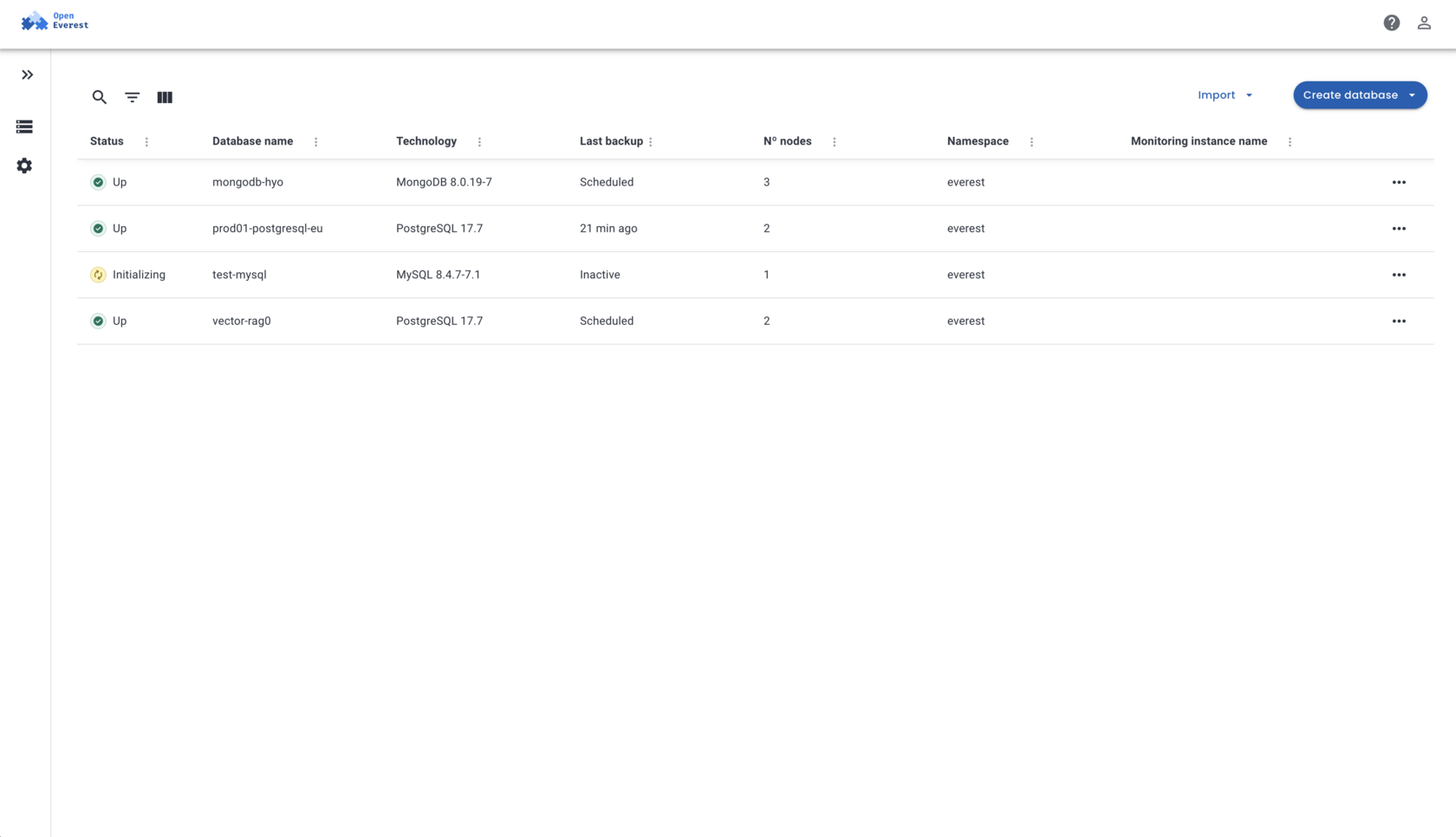
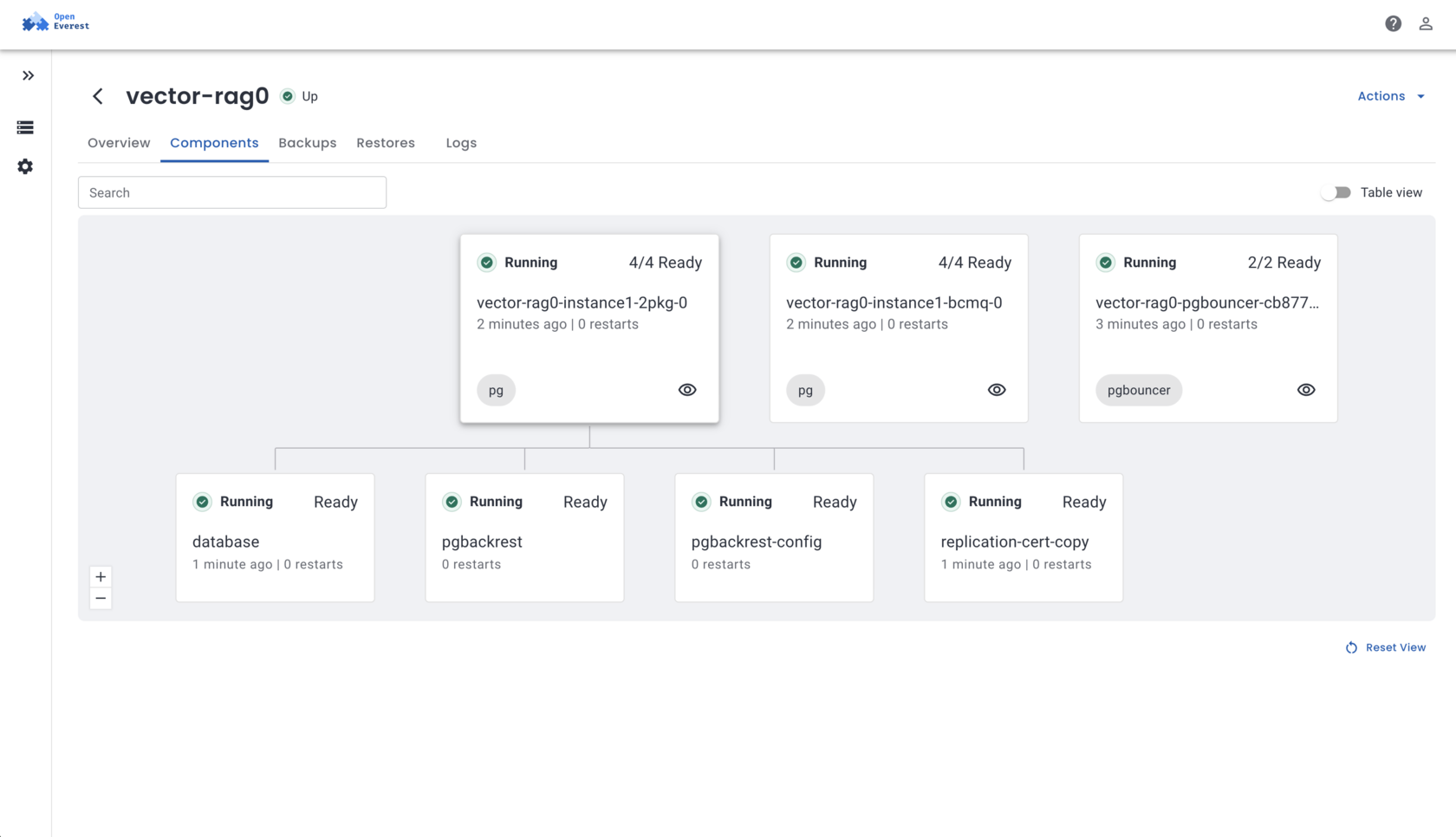
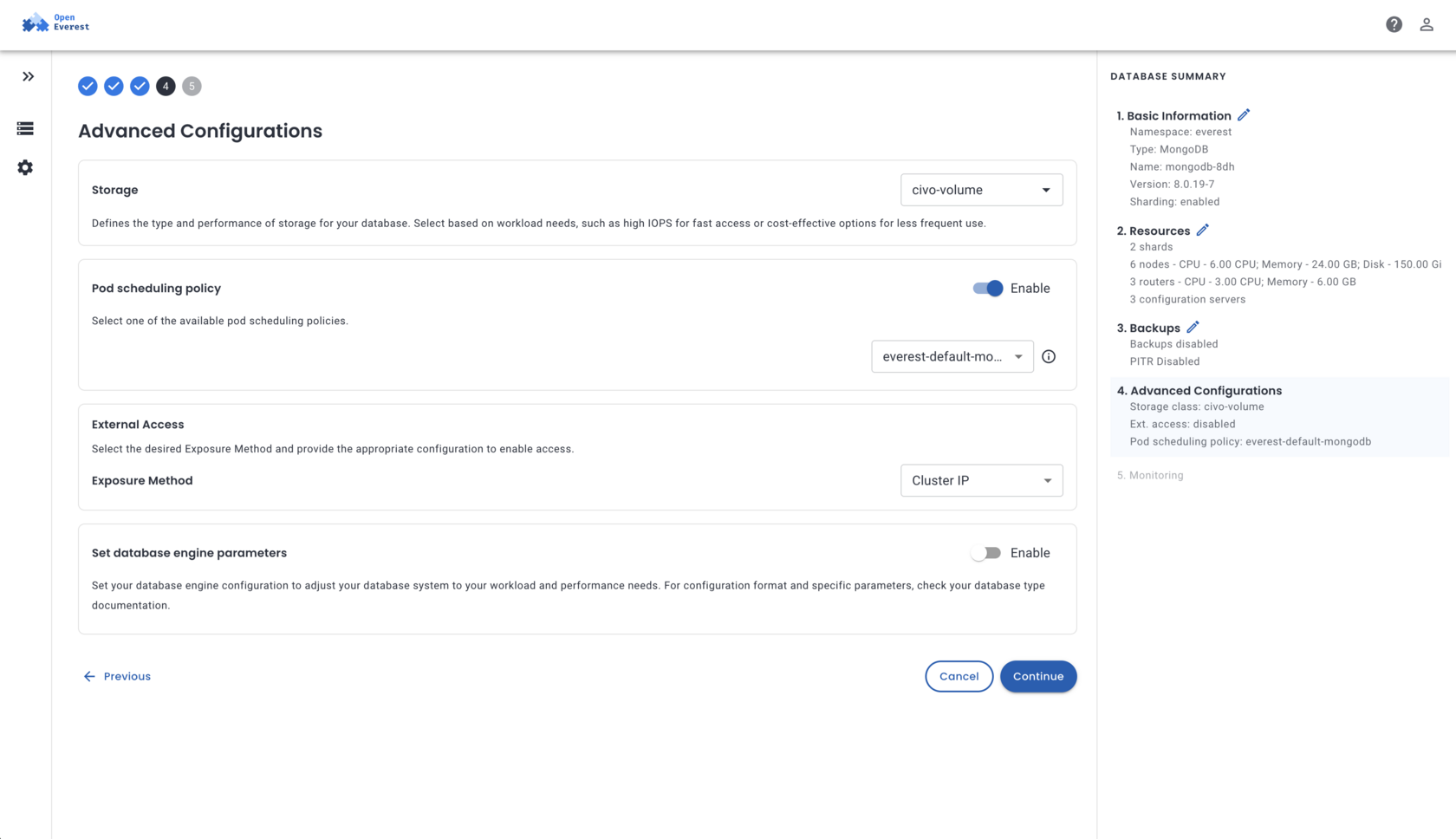
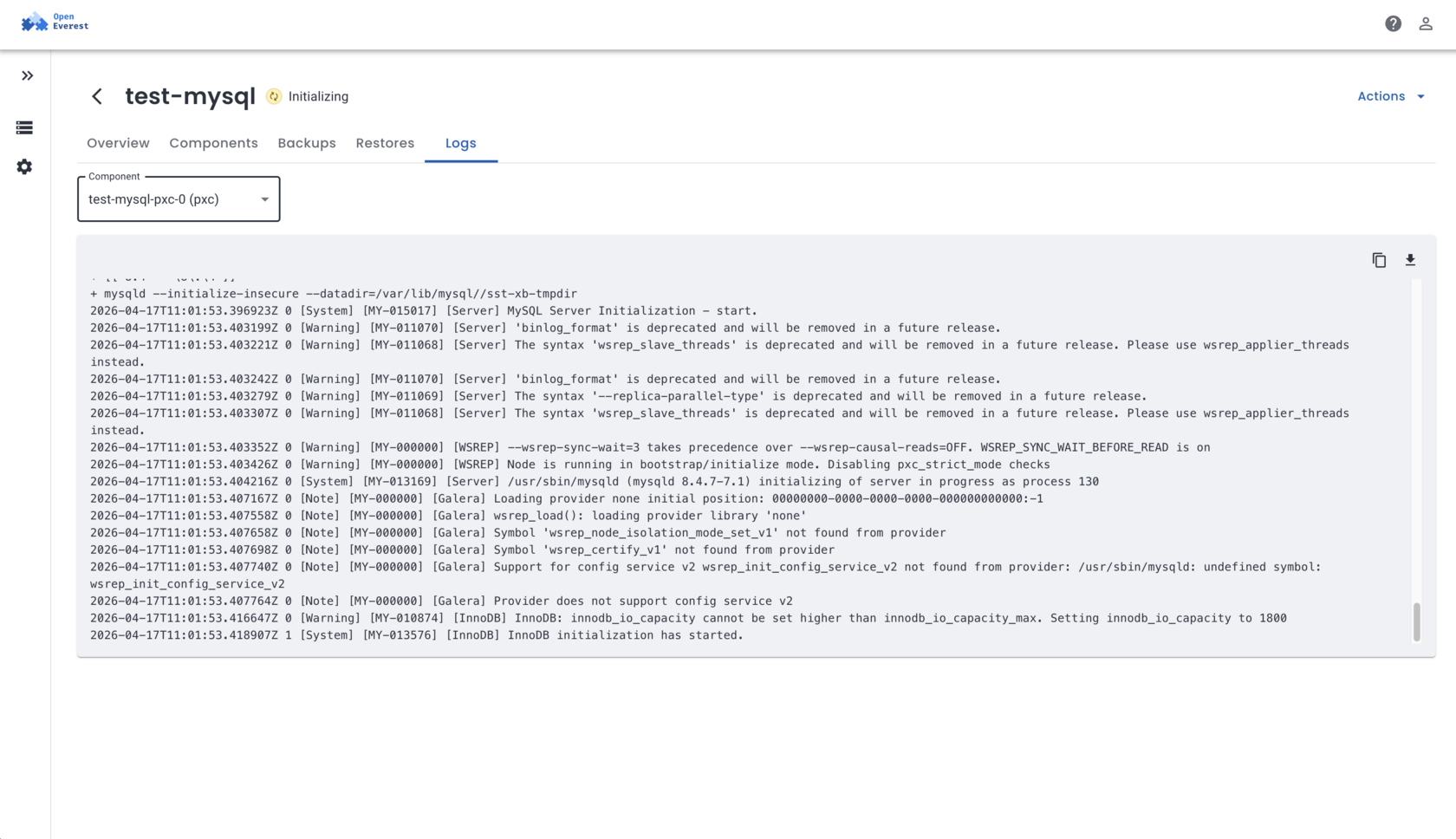
1 Databases
2 Components
3 Configuration
4 Logs
openeverest.example.io/databases openeverest.example.io/databases/pg-prod/components openeverest.example.io/databases/pg-prod/configuration openeverest.example.io/databases/pg-prod/logs
OpenEverest — databases list OpenEverest — components view OpenEverest — advanced configuration OpenEverest — logs
All your clusters in one view — status, engine, nodes, last backup, monitoring instance Visual topology: proxies → pods → containers — know exactly what's running and where Full cluster configuration: resources, storage, replicas — no kubectl required Built-in log streaming — debug any issue without leaving the UI

OpenEverest

The Road Ahead

Where we're taking the platform — and what we're building toward

01

Truly Open Source

Donated to the CNCF Sandbox — vendor-neutral governance, open roadmap, community-driven development. No proprietary lock-in. Ever.

CNCF Sandbox Apache 2.0 Open Roadmap
02

Modular Architecture

Plugin any data engine, storage backend, or AI tool. Custom plugins execute operations, integrate tooling, discover & modify data. Built-in AI copilot for operations teams.

Plugin System AI Copilot Custom Integrations
03

Run Truly Anywhere

Multi-cluster deployments, multi-geo data distribution, unified control plane across cloud, on-prem, and hybrid environments — from a single UI.

Multi-Cluster Multi-Geo Cloud / On-Prem / Hybrid