Solanica vs MongoDB Atlas
MongoDB Atlas runs MongoDB for you in MongoDB's cloud. Solanica, built on the open source OpenEverest project, lets you run MongoDB yourself on Kubernetes clusters you operate, in a public cloud or in your own data center.
Both give you a web console for creating clusters, backups with point-in-time recovery, users, and metrics. The main difference is who operates the database and where it runs. This page covers what that means in practice, including the places where Atlas is ahead.
MongoDB Atlas
A managed service on AWS, Google Cloud, and Azure, operated by MongoDB, Inc. A good fit if you don't want to run databases at all, or if you rely on Atlas Search, Vector Search, or other Atlas services.
Solanica + OpenEverest
Self-hosted on any Kubernetes cluster, including on-prem and air-gapped ones. Your team runs it, OpenEverest automates the routine work, and Solanica provides support. A good fit when the database has to stay on infrastructure you control.
Side by side
| Solanica + OpenEverest | MongoDB Atlas | |
|---|---|---|
| Where it runs | Any Kubernetes cluster: EKS, GKE, AKS, RKE2, K3s, or bare metal | AWS, Google Cloud, and Azure regions |
| On-prem and air-gapped | Supported | Not available. MongoDB sells Enterprise Advanced for self-managed deployments |
| Who operates it | Your team, with OpenEverest automation and Solanica support | MongoDB, Inc. |
| Where data and backups are stored | Your persistent volumes and your own S3-compatible bucket | MongoDB-managed infrastructure and backup storage. Snapshots can be downloaded or exported |
| Replica sets, sharding, point-in-time recovery | Yes | Yes |
| Encryption at rest with your own keys | Yes, with HashiCorp Vault or a KMIP server | Yes, with AWS KMS, Azure Key Vault, or Google Cloud KMS |
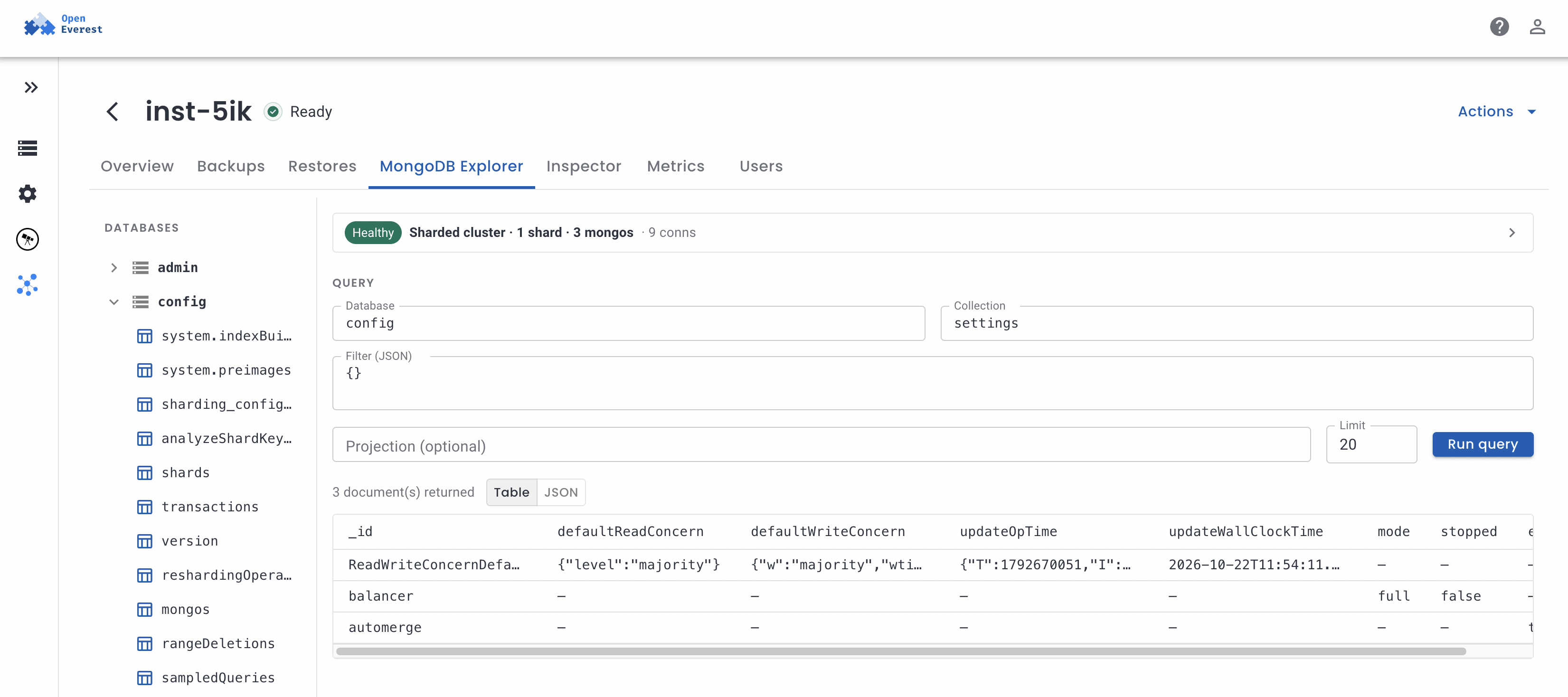
| Browsing data | Browse collections and run find queries | Data Explorer with editing, aggregations, and index management |
| Performance tools | Metrics and PMM Query Analytics | Real-Time Performance Panel, Query Profiler, Performance Advisor |
| Full-text and vector search | Not included | Atlas Search and Atlas Vector Search |
| Other data services | Not included | Charts, Online Archive, Data Federation, Stream Processing, Triggers |
| New MongoDB versions | Arrive with Percona Server for MongoDB releases, after upstream | Usually available on Atlas first |
| Managed through | Web UI, REST API, or Kubernetes resources in Git | Web UI, Admin API, Terraform, or the Atlas Kubernetes Operator |
| Other databases | PostgreSQL, MySQL, Valkey, and more in the same console | MongoDB only |
A highlighted cell marks the stronger option for that row. Atlas details come from MongoDB's public documentation as of October 2026.
What running it yourself looks like
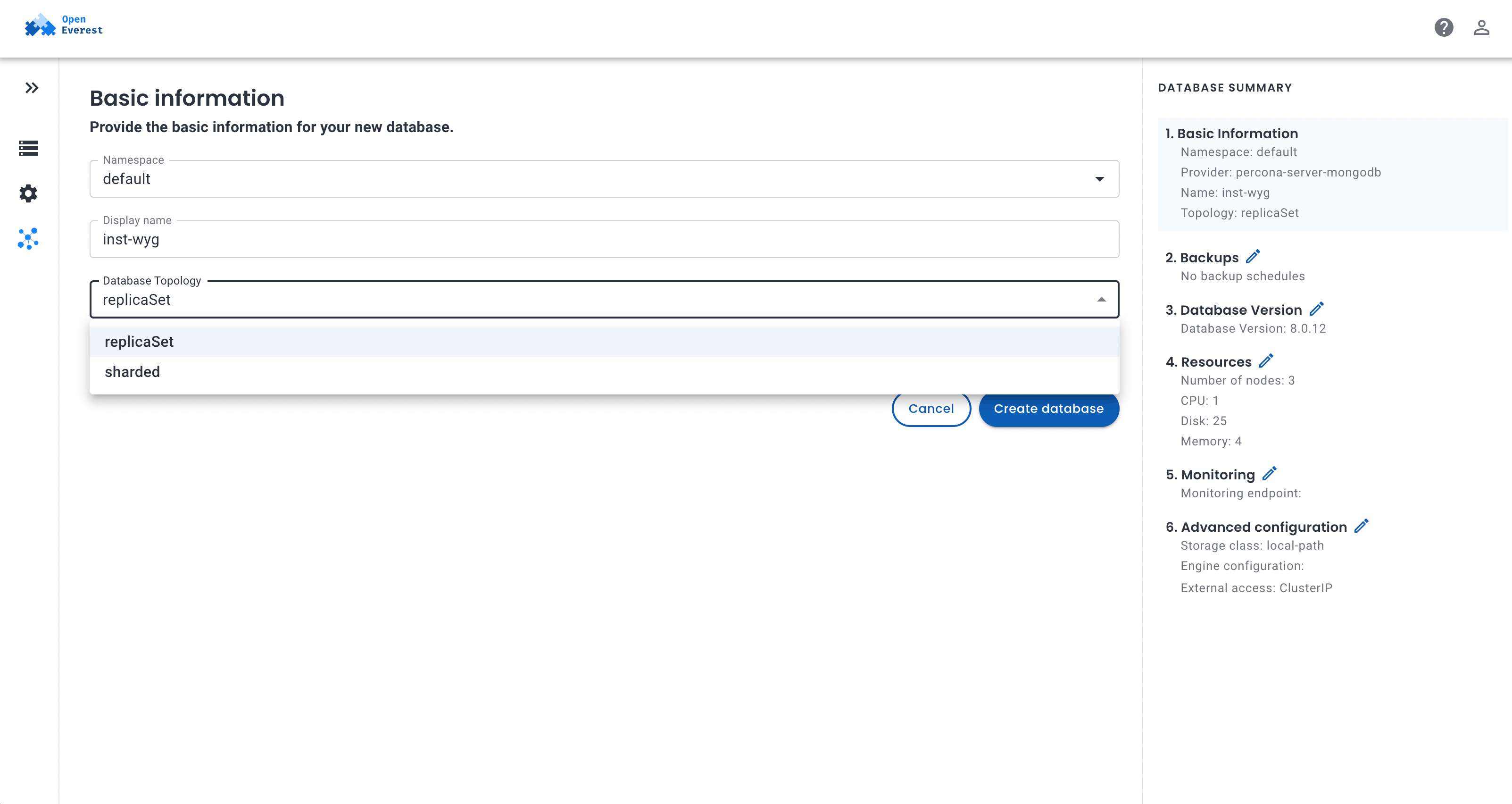
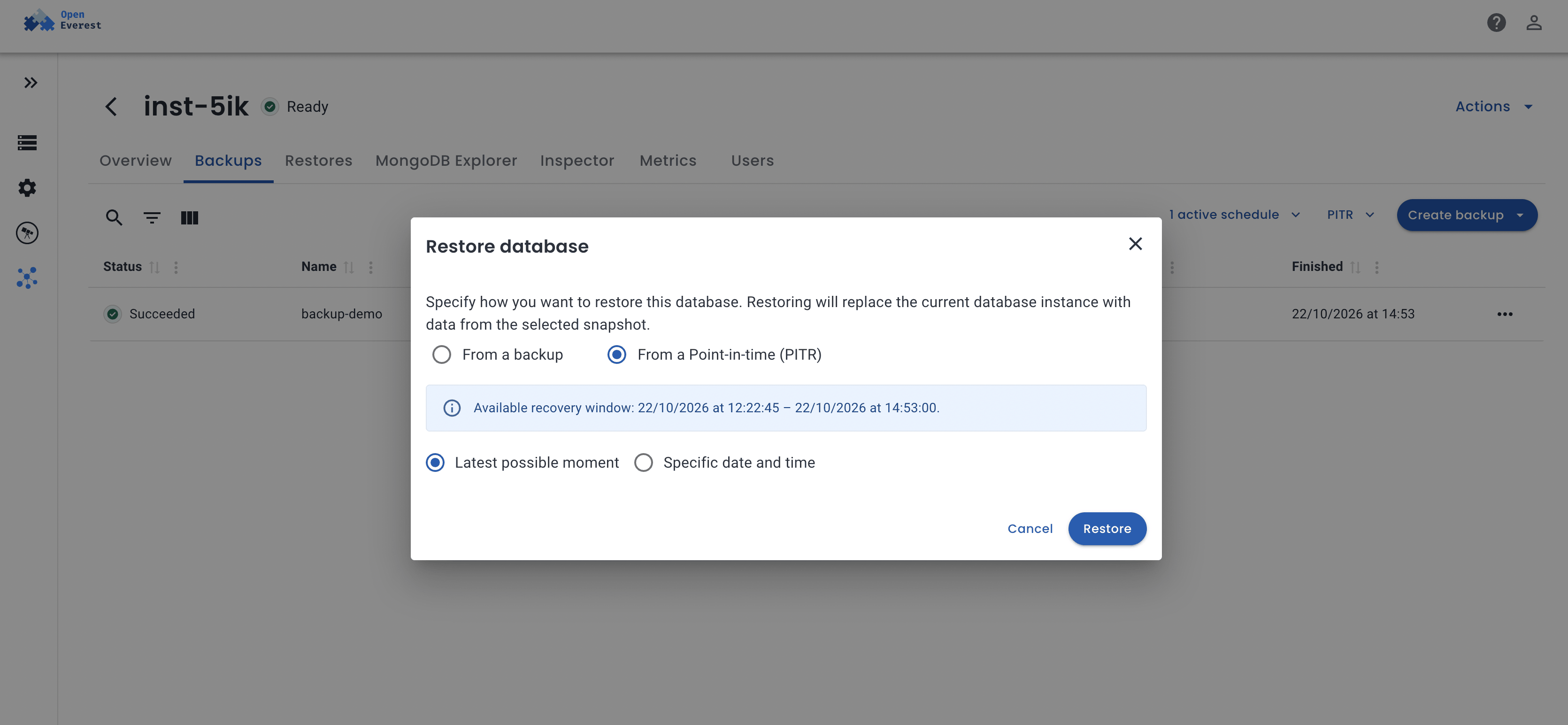
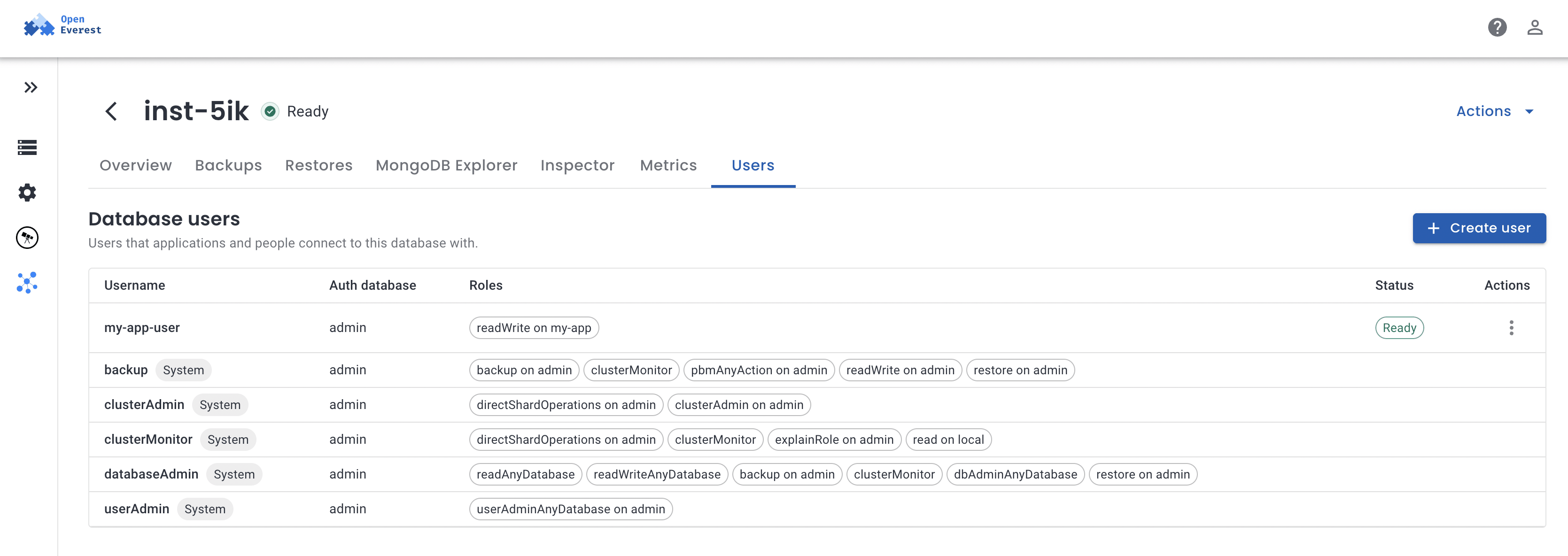
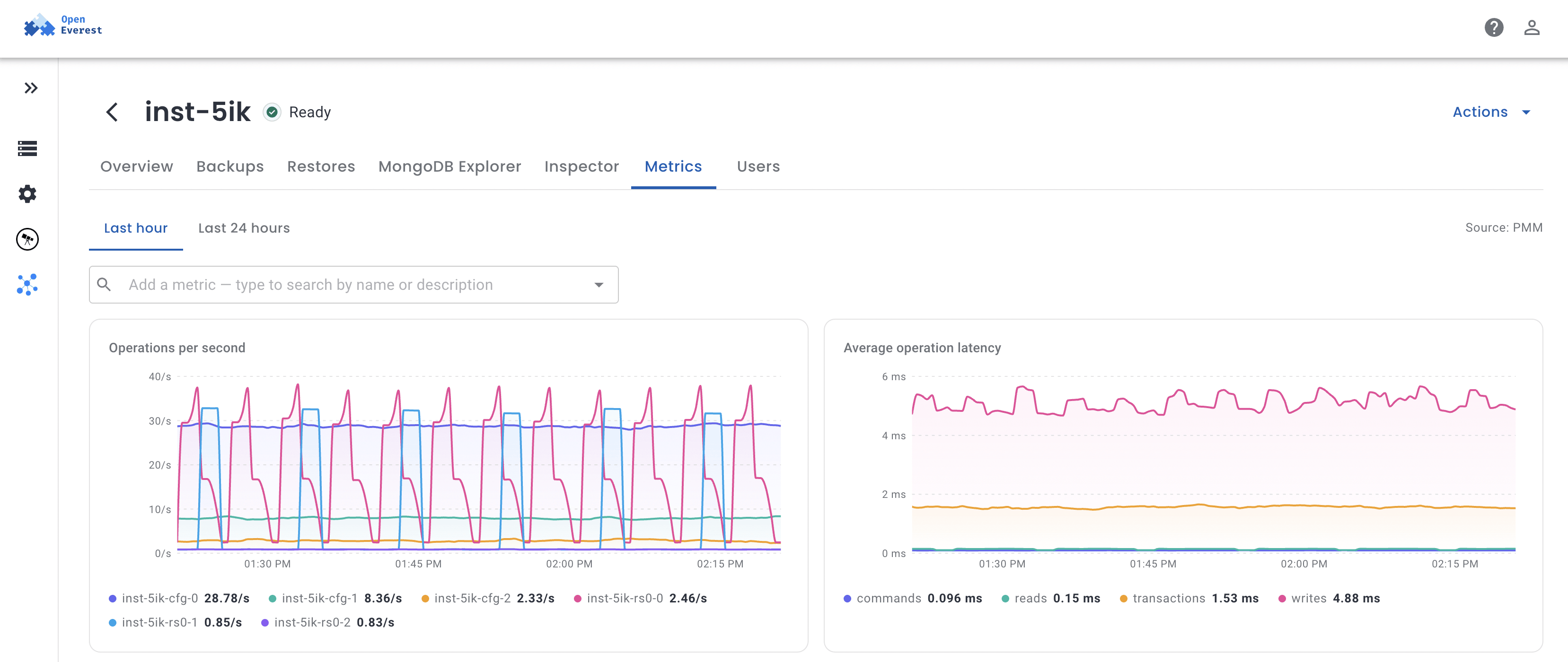
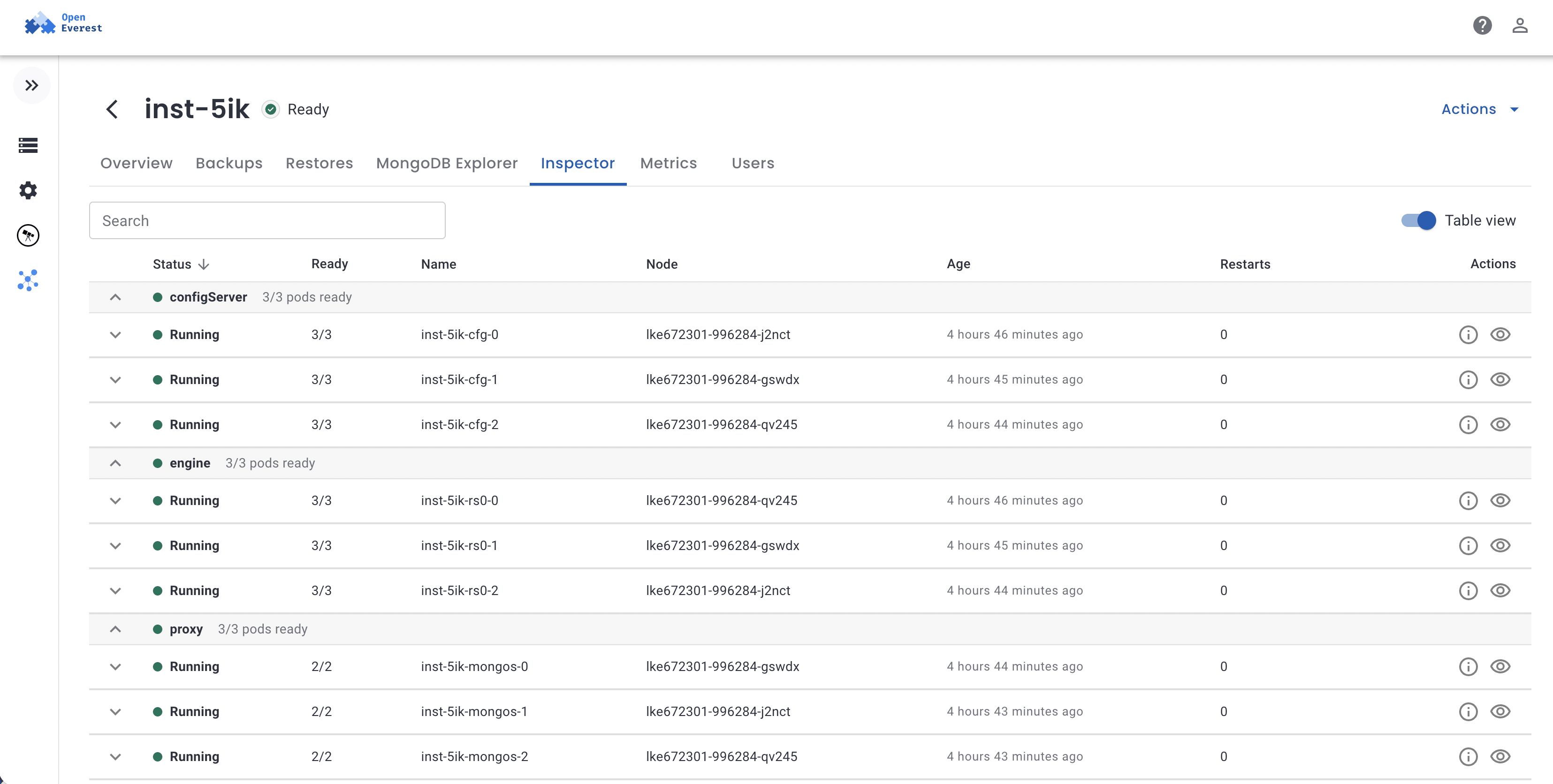
Teams coming from Atlas usually ask whether they will be stuck writing YAML. They won't. These are the OpenEverest screens for a MongoDB cluster.
Where the data lives
Each Atlas cluster runs in a cloud account that MongoDB manages. You reach it from your own network through VPC peering or a private endpoint. MongoDB's staff and automation look after the hosts, and monitoring data is collected by Atlas.
With OpenEverest, MongoDB is a set of pods in your own Kubernetes cluster. Data sits on your persistent volumes, metrics go to your own PMM or Prometheus, and backups go to a bucket you own. Nothing outside your network has to be reachable for it to work, so it also runs in air-gapped environments.
This tends to matter when:
- a regulation or customer contract requires data to stay in a specific country or facility
- the network has no outbound internet access
- MongoDB has to run on-prem or at the edge, close to the application
- you want database access and audit logs to go through the same controls as the rest of your infrastructure
Backups
OpenEverest uses Percona Backup for MongoDB (PBM), which is open source under Apache 2.0. It takes physical or logical backups and continuously copies the oplog, so you can restore to any second inside the recovery window. Backups are written to S3-compatible storage of your choice, for example AWS S3, MinIO, or SeaweedFS.
PBM is a standalone tool, so the backups don't depend on OpenEverest. You can restore them into a different cluster, or with PBM alone.
Atlas Cloud Backup offers the same point-in-time restores and you don't have to manage any of it. Snapshots are kept in Atlas storage, and you can download them or export them to your own bucket.
Where Atlas is ahead
Better to know this before a migration than halfway through one.
- On Atlas you never patch a host, resize a disk, or replace a failed node. The OpenEverest operator automates most of that, but someone on your team still runs the Kubernetes cluster underneath.
- Atlas Search and Atlas Vector Search are built in. OpenEverest doesn't manage MongoDB search today.
- Charts, Online Archive, Data Federation, Stream Processing, and Triggers have no equivalent in OpenEverest.
- The Atlas Data Explorer, Query Profiler, and Performance Advisor do more than the explorer and metrics views in OpenEverest.
- New MongoDB releases reach Atlas first. Percona Server for MongoDB follows upstream with a delay.
Licensing and the SSPL
MongoDB Community Server is licensed under the Server Side Public License (SSPL). OpenEverest deploys Percona Server for MongoDB, a drop-in replacement for Community Server that adds LDAP authentication, audit logging, and encryption at rest. It is distributed under the same license, and OpenEverest runs Percona's published images without modifying them.
The rest of the stack is Apache 2.0: OpenEverest itself, the Percona Operator for MongoDB, and Percona Backup for MongoDB.
Section 13 of the SSPL applies when you offer MongoDB's functionality to third parties as a service. MongoDB's SSPL FAQ says it does not apply to running MongoDB for your own applications, including SaaS products that use it as their database, or to running it as an internal service for your own teams and subsidiaries. Those are the cases Solanica is meant for. We sell software and support, and we don't host MongoDB for anyone.
If you want to offer MongoDB itself as a service to outside customers, Section 13 does apply, and Atlas or a commercial license from MongoDB, Inc. is the simpler path. This section is a summary, not legal advice.
Moving from Atlas
Applications keep the same drivers and connection string format, so most of the work is moving data. For smaller databases, mongodump and mongorestore are enough. For large or busy ones, use a sync tool based on change streams to keep the new cluster current until you switch over.
Before you start, check whether your applications use Atlas Search indexes, Triggers, or other Atlas-only features. Each of those needs a replacement on the self-hosted side.
Which one to pick
Atlas
If you don't want to operate databases, depend on Atlas Search or the other Atlas services, or plan to offer MongoDB as a service to your own customers.
Solanica
If MongoDB has to run on infrastructure you control, or you already run Kubernetes and want databases handled the same way as your applications.
Try it
To install OpenEverest with the MongoDB provider:
helm repo add openeverest https://openeverest.github.io/helm-charts/
helm install everest-core openeverest/openeverest \
  --devel --namespace everest-system --create-namespace
helm install provider-percona-server-mongodb \
  oci://ghcr.io/openeverest/charts/provider-percona-server-mongodb \
  -n everest-system
The quick install guide has the details. If you're planning a production deployment or a move off Atlas, our engineers are happy to go through it with you.
MongoDB, MongoDB Atlas, Atlas Search, and Atlas Vector Search are trademarks of MongoDB, Inc. Percona, Percona Server for MongoDB, Percona Backup for MongoDB, and Percona Monitoring and Management are trademarks of Percona LLC. Solanica and OpenEverest are not affiliated with or endorsed by MongoDB, Inc. or Percona LLC, and these names are used here only to identify the products being compared. All screenshots are of OpenEverest.